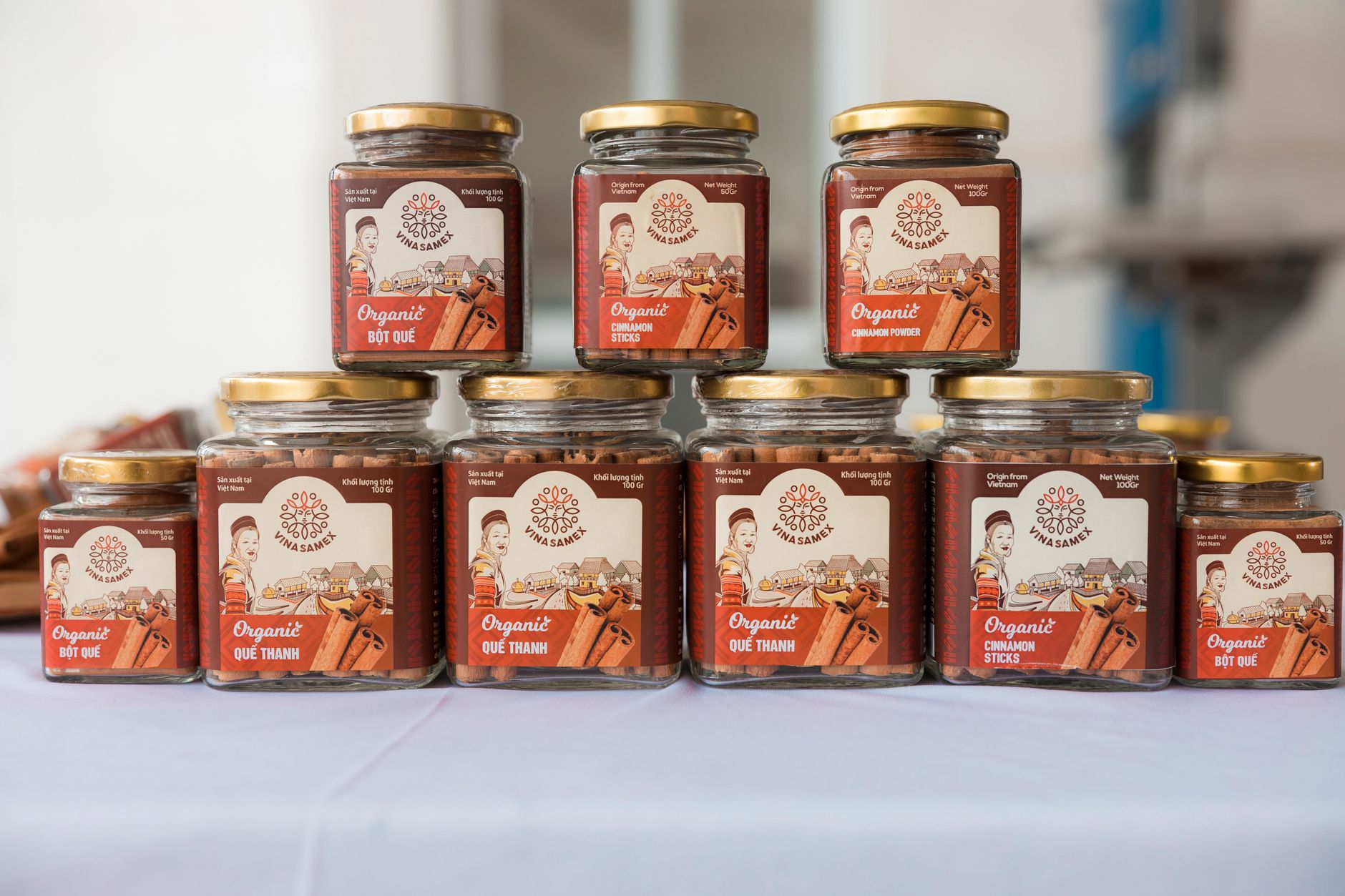
Your cottage food products could be the best-tasting items at the farmers market, but if your labels look like they were scribbled on with a marker, customers will walk right past. Professional labels build trust, satisfy Florida legal requirements, and set your brand apart. The good news? You can print stunning, compliant labels at home for pennies each with the right label printer. This guide covers the best options at every price point.
Florida Legal Requirement
Under Florida Statute 500.80, every cottage food product must carry a label with specific information including your business name, address, ingredients list, allergen warnings, net weight, and the required disclaimer:
"Made in a cottage food operation that is not subject to Florida's food safety regulations"
Selling products without a compliant label can result in enforcement action from the Florida Department of Agriculture and Consumer Services (FDACS). A label printer is not a luxury -- it is essential for legal compliance.
What We Cover in This Guide
- - Why Proper Labels Matter for Florida Cottage Food
- - Thermal vs Inkjet: Which Is Better for Food Labels?
- - Best Overall: DYMO LabelWriter 550 ($130)
- - Best for High Volume: Rollo Wireless Printer ($200)
- - Budget Pick: Brother QL-800 ($80)
- - Best Compact: MUNBYN Thermal Label Printer ($100)
- - No Printer? Avery Label Sheets ($15)
- - Florida-Compliant Label Checklist
- - Label Design Tips (Canva, Avery Templates)
- - Side-by-Side Comparison Table
Why Proper Labels Matter for Florida Cottage Food
1. Legal Compliance
Florida Statute 500.80 mandates that every cottage food product must include specific label information. This is not optional. FDACS inspectors at farmers markets and craft fairs do check labels, and non-compliant products can be pulled from sale on the spot. A label printer ensures every single product has a consistent, legible, compliant label.
2. Customer Trust and Safety
Customers with food allergies rely on your ingredient and allergen information. A printed label is clear, readable, and professional. Handwritten labels can be misread -- and a misread allergen label could put someone in the hospital. Professional labels show customers you take their safety seriously.
3. Brand Recognition
Your label is the first thing customers see. A clean, professional label with your logo and consistent branding makes your products stand out at farmers markets. It turns a homemade cookie into a branded product that customers remember and come back for.
4. Efficiency at Scale
Writing labels by hand takes 2-3 minutes each. With a label printer, you can print 50 labels in under 5 minutes. As your cottage food business grows from 20 products per week to 200+, a label printer saves you hours of tedious handwriting every single week.
Thermal vs Inkjet: Which Is Better for Food Labels?
This is the single most important decision when choosing a label printer. Here is why thermal printing wins for food labels every time:
Thermal (Recommended)
- Waterproof labels: Won't smudge from condensation, oil, or wet hands
- No ink costs: Heat-activated printing means zero ink cartridges to buy
- Smudge-proof: Labels are dry the instant they print
- Fast: Print 40-70+ labels per minute
- Lower cost per label: $0.02-0.05 each (label stock only)
Inkjet / Laser
- Ink smudges: Moisture, oil, and condensation ruin inkjet labels
- Expensive ink: $30-60 per cartridge adds up fast at volume
- Color available: Only advantage -- full-color labels and photos
- Slower: Sheet-fed printing is much slower than roll-fed thermal
- Higher cost per label: $0.10-0.30 each (ink + label sheets)
The Bottom Line
For food labels, thermal is the clear winner. Your labels will be exposed to kitchen moisture, oily hands, refrigerator condensation, and outdoor farmers market conditions. Thermal labels handle all of this without smudging. The only trade-off is black-and-white printing (or black-and-red with the Brother QL-800) -- but for ingredient and compliance labels, that is all you need.
Best Overall: DYMO LabelWriter 550
DYMO LabelWriter 550 Direct Thermal Label Printer
Editor's Choice - Direct Thermal - USB Connected
ASIN: B0851JYDBB
The DYMO LabelWriter 550 is the most popular label printer among small food businesses -- and for good reason. It is reliable, easy to set up, and prints crisp labels in seconds. DYMO is the industry standard for a reason: their software is intuitive, label roll compatibility is excellent, and the print quality is sharp enough for small text (critical for ingredient lists and disclaimers).
Key Specifications
Print Method: Direct thermal (no ink)
Speed: Up to 62 labels/minute
Resolution: 300 dpi
Max Label Width: 2.44 inches
Connectivity: USB
Label Sizes: Multiple DYMO roll sizes
Software: DYMO Connect (included)
Compatibility: Windows, Mac
Why Cottage Food Makers Love It
- Automatic label recognition: The printer detects which DYMO label roll is loaded and configures itself
- 300 dpi resolution: Sharp text even at small sizes -- perfect for fitting ingredient lists and the Florida disclaimer on a single label
- DYMO Connect software: User-friendly design tool with templates, barcodes, and custom layouts
- Industry standard: Massive community of users, tutorials, and third-party label templates available
Pros & Cons
Pros:
- - Extremely reliable and well-built
- - 300 dpi for crisp text and small print
- - Easy setup and intuitive software
- - Wide range of label sizes available
Cons:
- - USB only (no wireless)
- - DYMO-brand labels recommended (third-party labels may void warranty)
Best For
Most cottage food businesses. If you produce 25-200 products per week and want a reliable, high-quality printer that just works, the DYMO LabelWriter 550 is the safe choice. It is the Honda Civic of label printers -- not the flashiest, but dependable and proven.
Best for High Volume: Rollo Wireless Printer
Rollo Wireless Shipping & Label Printer
High Speed - Wi-Fi + USB - Works with Any Label Size
ASIN: B0B7KFFLWY
The Rollo Wireless is the powerhouse option for cottage food makers who are producing at scale. Its standout feature is universal label compatibility -- it works with any direct thermal label from any brand, in sizes from small product labels all the way up to 4x6 shipping labels. If you sell online through Etsy or your own website and need to print both product labels and shipping labels, the Rollo does both.
Key Specifications
Print Method: Direct thermal (no ink)
Speed: Up to 150mm/second
Resolution: 203 dpi
Max Label Width: 4.16 inches
Connectivity: Wi-Fi, USB, AirPrint
Label Sizes: Any direct thermal label
Software: Rollo app (desktop + mobile)
Compatibility: Windows, Mac, iOS, Android
Why High-Volume Makers Choose Rollo
- Universal label compatibility: Use any brand of direct thermal labels -- no proprietary lock-in and lower label costs
- Wireless printing: Print from your phone, tablet, or laptop anywhere in your kitchen via Wi-Fi
- Dual purpose: Print product labels and 4x6 shipping labels from the same printer
- Blazing fast: High-speed printing handles large batch runs without waiting
Pros & Cons
Pros:
- - Works with any direct thermal label (no proprietary rolls)
- - Wi-Fi + USB + AirPrint connectivity
- - Prints product labels and shipping labels
- - Very fast print speed
Cons:
- - Most expensive option at ~$200
- - 203 dpi (lower resolution than DYMO 550)
Best For
High-volume cottage food businesses (200+ products/week), makers who sell online and need shipping labels too, anyone who wants wireless printing convenience, and makers who want to avoid proprietary label lock-in. If you are treating your cottage food operation as a serious business, the Rollo is worth the investment.
Budget Pick: Brother QL-800
Brother QL-800 High-Speed Professional Label Printer
Best Value - Two-Color Printing - USB Connected
ASIN: B06XHWS4VV
The Brother QL-800 is the best value in label printers, and it has a unique trick: two-color (red and black) printing. This is a big deal for cottage food labels because you can print allergen warnings or the Florida cottage food disclaimer in red while keeping the rest of the label in black. No other printer in this price range offers that. At just $80, it is an incredible deal.
Key Specifications
Print Method: Direct thermal (no ink)
Speed: Up to 93 labels/minute
Resolution: 300 dpi
Max Label Width: 2.4 inches
Connectivity: USB
Colors: Black and red (two-color DK rolls)
Software: Brother P-touch Editor (included)
Compatibility: Windows, Mac
Standout Features
- Red and black printing: Highlight allergen warnings, expiration dates, or disclaimers in red for instant visibility
- 300 dpi resolution: Same high resolution as the DYMO 550 at nearly half the price
- 93 labels per minute: Fastest print speed in this roundup
- Built-in cutter: Automatically cuts each label as it prints
Pros & Cons
Pros:
- - Most affordable dedicated label printer ($80)
- - Unique red/black two-color printing
- - 300 dpi high resolution output
- - Very fast (93 labels/min)
Cons:
- - Brother DK-brand label rolls required
- - USB only, no wireless option
Best For
Budget-conscious cottage food makers who want a dedicated label printer without spending $130+. The red/black printing is a standout feature for food labels -- being able to print allergen warnings in red is genuinely useful for customer safety and makes your labels look more professional. Great starter printer for new Florida cottage food businesses.
Best Compact: MUNBYN Thermal Label Printer
MUNBYN Thermal Label Printer
Compact Design - USB Connected - Wide Compatibility
ASIN: B0BJ3LGGCZ
If counter space is at a premium in your home kitchen (and let's be honest, it almost always is for cottage food makers), the MUNBYN Thermal Label Printer is a strong choice. It has one of the smallest footprints of any label printer in its class while still supporting label widths up to 4.3 inches. It is a versatile, well-priced middle-ground option between the budget Brother and the premium Rollo.
Key Specifications
Print Method: Direct thermal (no ink)
Speed: Up to 150mm/second
Resolution: 203 dpi
Max Label Width: 4.3 inches
Connectivity: USB
Label Sizes: 1" to 4.3" wide (any brand)
Software: MUNBYN Label Printer app
Compatibility: Windows, Mac
Why It Stands Out
- Tiny footprint: Takes up less counter space than a toaster -- important in a home kitchen that doubles as your production space
- Wide label support: Handles everything from small 1-inch labels to 4.3-inch shipping labels
- Compatible with any thermal label: No proprietary lock-in, use generic labels to save money
- Easy label loading: Open-top design makes swapping label rolls quick and straightforward
Pros & Cons
Pros:
- - Smallest footprint in its class
- - Works with any brand thermal labels
- - Supports wide range of label sizes
- - Good price-to-performance ratio ($100)
Cons:
- - 203 dpi (adequate but not as sharp as 300 dpi models)
- - USB only, no wireless connectivity
Best For
Cottage food makers with limited counter space, those who want generic label compatibility at a mid-range price, and anyone who needs flexibility in label sizes. It is the best "all-rounder" if you want to print small product labels and occasionally a shipping label without buying a second printer.
No Printer Needed: Avery Label Sheets
Avery Mailing Address Labels (8160)
No Special Printer Needed - Use Any Inkjet/Laser Printer
ASIN: B00004Z6MI
Not ready to invest in a dedicated label printer? You can start with Avery label sheets that work with any standard inkjet or laser printer you already own. The Avery 8160 is the most popular size (1" x 2-5/8") and comes 30 labels per sheet with 750 labels per pack. Combined with the free Avery Design & Print templates, you can create professional-looking labels for under $15.
This is the best option for brand-new cottage food makers who are just getting started, testing their products at their first farmers market, or producing fewer than 25 items per week. Once you scale up, you will want to graduate to a thermal label printer for speed and durability.
What You Get
Label Size: 1" x 2-5/8"
Labels Per Sheet: 30
Labels Per Pack: 750
Printer Type: Inkjet or laser
Templates: Free at avery.com
Cost Per Label: ~$0.02
Important Caveat
Inkjet-printed Avery labels are not waterproof. If your products are refrigerated, produce condensation, or will be sold outdoors, the ink can smudge. For moisture-resistant labels from a standard printer, look for Avery Weatherproof labels (more expensive). For truly water-resistant labels, upgrade to a thermal label printer.
Florida-Compliant Cottage Food Label Checklist
Before you print a single label, make sure it includes all of the following. Missing any of these items puts your cottage food business at risk of enforcement action under Florida Statute 500.80.
Product Name
The common name of your product (e.g., "Chocolate Chip Cookies", "Strawberry Jam")
Ingredients List
All ingredients listed in descending order by weight (most to least). Use common names.
Allergen Statement
Identify the presence of major allergens: milk, eggs, fish, shellfish, tree nuts, peanuts, wheat, soybeans, and sesame. Example: "Contains: Wheat, Eggs, Milk"
Net Weight or Volume
The weight or volume of the product, not including packaging. Use ounces, pounds, or fluid ounces.
Name and Address of the Cottage Food Operation
Your business name (or your legal name) and your home address where the food was produced.
Required Cottage Food Disclaimer
This exact statement must appear on every label:
"Made in a cottage food operation that is not subject to Florida's food safety regulations"
Pro Tip: Use Our Free Label Generator
Florida Cottage Foods has a built-in label generator tool that automatically includes all required fields and formats them correctly. Design your label once, then print it on any of the printers listed above.
Try the Free Label Generator →Label Design Tips
A well-designed label does not require a graphic design degree. These free and low-cost tools make it easy for anyone to create professional food labels:
Canva (Free)
Canva has hundreds of free food label templates. Search for "product label" or "food label" and customize with your brand colors, fonts, and product information. Export as PDF for crisp printing. Canva is the most popular design tool among cottage food makers for a reason -- it is incredibly easy to use.
- - Set custom dimensions to match your label size (e.g., 2" x 4" for DYMO rolls)
- - Use a minimum font size of 6pt for ingredient lists to ensure readability
- - Export at 300 DPI for the sharpest prints
Avery Design & Print (Free)
If you are using Avery label sheets, their free Design & Print online tool has pre-sized templates for every Avery label product. Pick your label number (e.g., 8160), choose a template or start blank, and customize. The labels will be perfectly aligned for printing on Avery sheets.
Printer-Specific Software
Each label printer comes with its own design software: DYMO Connect, Brother P-touch Editor, and Rollo's built-in designer. These tools are optimized for their respective printers and offer templates specifically sized for their label rolls. For simple text-heavy labels (like ingredient/compliance labels), the bundled software is usually all you need.
Design Best Practices for Food Labels
- - Prioritize readability: Use sans-serif fonts (Arial, Helvetica) for ingredient lists and required text
- - Hierarchy matters: Product name largest, then allergens, then ingredients, then disclaimer
- - Leave breathing room: Do not cram text edge-to-edge -- leave at least 1/8" margins
- - Test print first: Always print a test label before doing a full batch run
- - Keep a master file: Save your label template so you can quickly reprint with updated best-by dates
Side-by-Side Comparison
| Feature | Brother QL-800 | MUNBYN | DYMO 550 | Rollo Wireless |
|---|---|---|---|---|
| Price | ~$80 | ~$100 | ~$130 | ~$200 |
| Print Method | Direct thermal | Direct thermal | Direct thermal | Direct thermal |
| Resolution | 300 dpi | 203 dpi | 300 dpi | 203 dpi |
| Max Label Width | 2.4" | 4.3" | 2.44" | 4.16" |
| Connectivity | USB | USB | USB | Wi-Fi + USB |
| Colors | Black + Red | Black only | Black only | Black only |
| Label Compatibility | Brother DK rolls | Any thermal | DYMO rolls | Any thermal |
| Shipping Labels? | No | Yes | No | Yes |
| Best For | Budget, allergen emphasis | Small kitchens | Most makers | High volume, online sales |
Our Recommendation
For most Florida cottage food businesses: DYMO LabelWriter 550 ($130). Reliable, high-resolution, and the industry standard.
On a tight budget? Brother QL-800 ($80). The red/black printing is a genuine advantage for food labels, and 300 dpi matches the DYMO at a lower price.
High volume or selling online? Rollo Wireless ($200). Universal labels, wireless printing, and dual product/shipping label capability.
Just starting out? Avery label sheets ($15) with your existing home printer. Upgrade when you hit 25+ products per week.
Ready to Print Professional Labels?
Use our free label generator to create Florida cottage food labels, then print them on any of the printers above.
Affiliate Disclosure
This article contains affiliate links to Amazon.com. If you purchase products through these links, Florida Cottage Foods may earn a small commission at no extra cost to you. All recommendations are based on product specifications, manufacturer information, and real-world suitability for Florida cottage food labeling requirements. We only recommend products that meet the needs of cottage food compliance.